Agentic Workshop
From binary to agents. How software gets built, and where AI takes it next.
Arrow keys, or swipe →
A quick show of hands.
Count the hands in the room. Enter a number for each group to update the chart.
Scan the QR or enter a total to calculate percentages.
QR arrivals set the total automatically. Edit it to use a manual total, or choose “Use QR count” to switch back. Groups can overlap; percentages may add up to more than 100%.
Use whole numbers from 0 to 9999. A group cannot exceed the total participants.
The evolution of software.
Every layer of software is built on the one beneath it. Four of them, stacked from the machine at the bottom to plain language at the top.
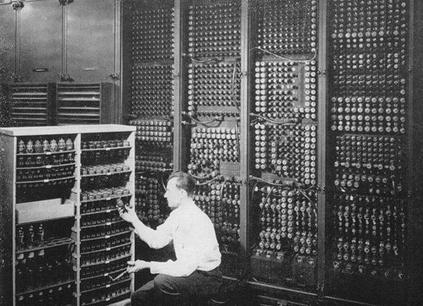
Binary
Only two states, on and off. 0 and 1, grouped into bytes. Every program ever run was binary at some point.
"Hello Sui" in 8-bit ASCII
H        e        l        l        o        ·        S        u        i
01001000 01100101 01101100 01101100 01101111 00100000 01010011 01110101 01101001
Low-level languages
Assembly and C let you write closer to what the machine actually does. Fast and precise, but you manage memory yourself, with no safety net.
#include <stdio.h>
int main() {
    printf("Hello Sui");
    return 0;
}High-level languages
Languages that read closer to English than to machine code. The language handles memory, so you focus on logic. A trade: some speed and control, for a lot of speed writing it.
print("Hello Sui")Vibe-coding
Describe what you want in plain language; the AI writes the code, and decides the syntax, the structure, even the language. Another layer of abstraction: the same evolution, one step further.
write a program that prints Hello Sui

# the AI picks the language, writes it, runs it
Hello Sui
Four layers, one evolution.
Each layer hides the one below it. Vibe-coding doesn't replace the others. It sits on top of them, the way Python sits on top of C, and C sits on top of binary.
“Maybe in ten years, talking to an AI will feel just as outdated. Maybe we'll just think, and a product appears.” On where this evolution might go
Building an agent.
A local TypeScript program with tools for a Sui wallet, identity and memory. OpenRouter selects tools when needed; the application validates calls and displays verified results.
What is an agent?
…then observe again
One agent. Four building blocks.
OpenRouter
Hosted model access for tool selection. The agent runs locally; no model download or GPU is needed.
Sui
Create a local Ed25519 wallet and read testnet balances through the Sui SDK. Keys stay in the local application.
SuiNS
Resolve a name to an address and read the wallet’s on-chain default name.
Walrus Memory
Use MemWal to remember and recall facts across restarts, with a configured account and delegate.
Start with the tutorial.
macOS / Linux / WSL · Install Git and nvm first. Use Node 22.22.2 or newer; Node 20 will fail with EBADENGINE.
git clone https://github.com/justbiar/suibasecamp.git && cd suibasecamp
nvm install 22 && nvm use 22 && node -v
node scripts/check-node.mjs && ./setup.sh
Check node -v before installing: it must show v22.22.2 or a newer 22.x. setup.sh checks the version, installs locked dependencies with npm ci, and builds the agent.
First-time setup or an installation error?
nvm: command not found? Install nvm using the official guide below, reopen your terminal, then run command -v nvm. Continue only when it prints nvm.
Already cloned, or seeing EBADENGINE? Stay inside the existing suibasecamp folder and run these commands in the same terminal. Do not clone again or bypass the engine check.
nvm install 22 && nvm use 22 && node -v
node scripts/check-node.mjs && ./setup.sh
Run nvm use 22 again in each new terminal before npm commands. On Windows, use WSL for this Bash setup. Without nvm, install a current Node 22.x from the official downloads, reopen the terminal, and verify node -v before running setup.sh.
Add your key. Run the agent.
Create a key on OpenRouter, then run set-key and paste it when asked. No editor, and nothing else in .env changes.
npm run set-key
Paste your OpenRouter key (input hidden): ••••••••••••
Typing stays hidden and the key is written straight to .env, which git ignores. It never leaves your machine except to reach OpenRouter.
npm run agent
/doctor
Local slash commands also work without an API key. Model availability depends on the provider.
Read the result. Know the source.
Create a wallet, then read its balance. The CLI renders verified tool data rather than model-written balances.
/wallet create
/balance

# Illustrative result; your balance will differ
Tool > get_balance
Verified tool data > get_balance
  network: testnet
  balanceSui: "0.689"
Use the official Testnet faucet for test tokens. The current agent supports wallet creation and reads; transfers and swaps are future work.
An identity. A memory.
Give your agent a name on SuiNS, then teach it a fact it can recall after a restart. Sui provides chain state; Walrus Memory provides persistence.
A name connected to your wallet.
Register a name on SuiNS Testnet, point it at your generated wallet address, and set that address’s default name.
/resolve yourname.sui
/identity
AGENT_SUINS_NAME only sets the expected name. It does not register a name or change the on-chain identity. An unset name returns NOT_FOUND.
Teach it. Restart it. Ask again.
Run set-key again and give it your Walrus account id and delegate key. Leave MEMWAL_NAMESPACE as it is, then check with npm run doctor.
npm run set-key  # Enter skips anything already set
npm run doctor
npm run agent
/remember My workshop project is a Sui travel assistant.
/exit
npm run agent  # restart, then ask again
/recall What is my workshop project?
Wait for confirmed persistence before restarting. The relayer receives plaintext and handles embeddings and Seal encryption before Walrus storage. Storage lasts for funded epochs.
Give your agent a place here.
Once wallet reads, identity and memory work, register a profile in the workshop’s shared testnet package. Registration is a separate Sui CLI transaction.
Use the registration guide to align your signer with the wallet you declare. Profiles appear after indexing; a listing is not proof of a running service.